DocsUsing Hex1 min read
Tools & permissions
What the agent can do, and how to allow, ask or deny each tool.
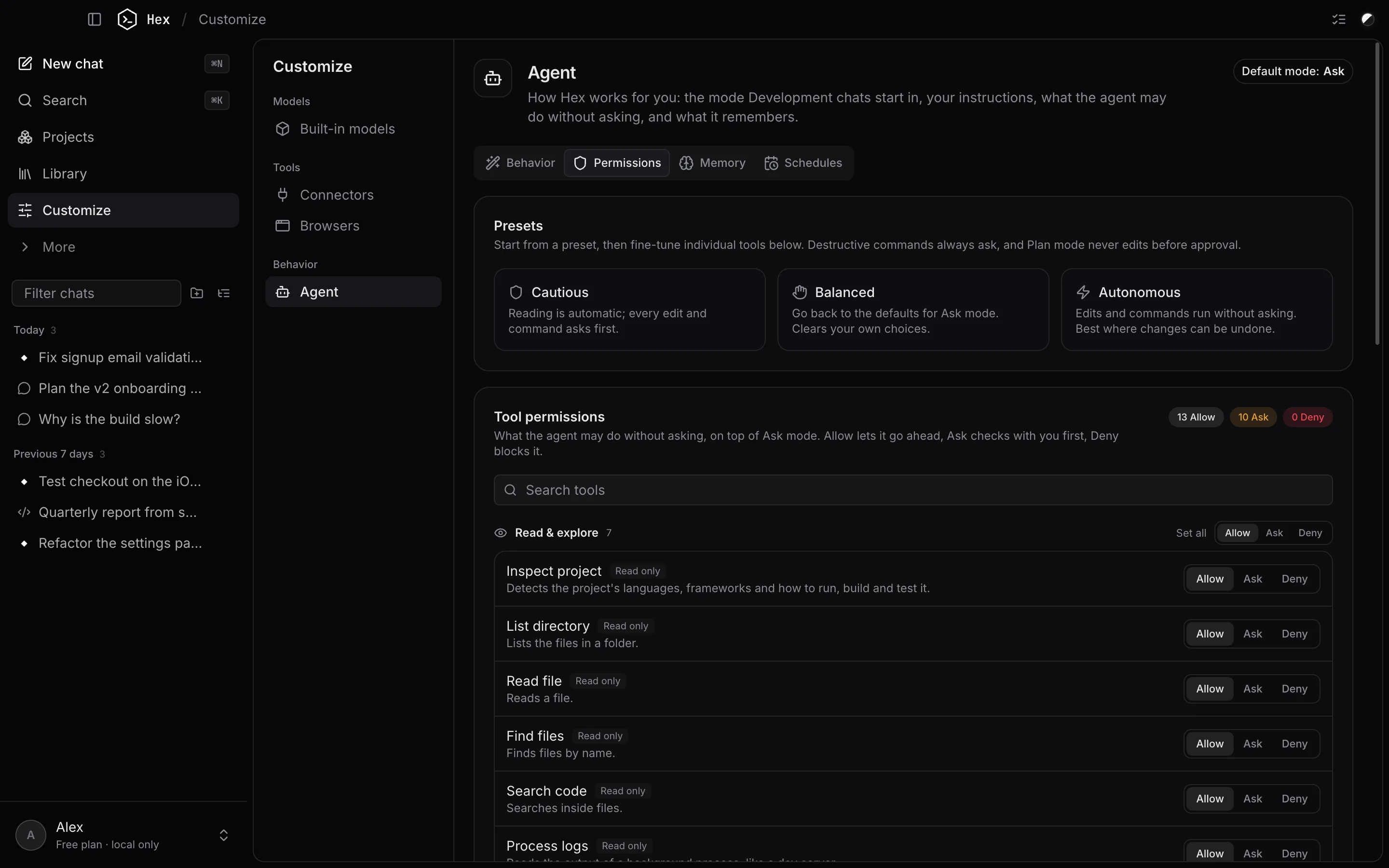
Hex has tools for reading and searching files, editing files, running commands, using the browser, working with simulators, creating documents, remembering things and scheduling tasks. Each has a permission:
- Allow: runs without asking.
- Ask: waits for your approval each time.
- Deny: never runs; the agent is told it isn't allowed.
Open Customize → Agent → Permissions to change them. Tools are grouped (Read & explore, Create & edit, Run commands, Browser & web, Devices, Memory & scheduling) and each shows what it does and how risky it is.
Presets
- Cautious: reading is automatic; every edit and command asks.
- Balanced: follows the current mode's defaults.
- Autonomous: edits and commands run without asking. Best inside a git repository.
Safety rules that always apply
- Commands that delete or overwrite a lot (like
rm -rf) always ask, whatever you set. - In Plan mode nothing is changed before you approve the plan.
- The agent can't read or change Hex's own data (your chats, keys and settings).
- Every file the agent changes is saved first, so you can undo it. See Undo & checkpoints.
Something unclear or out of date? Email jangidp318@gmail.com.