DocsModels & tools2 min read
Connectors (MCP)
Give the agent tools from GitHub, Linear, Notion, databases and more.
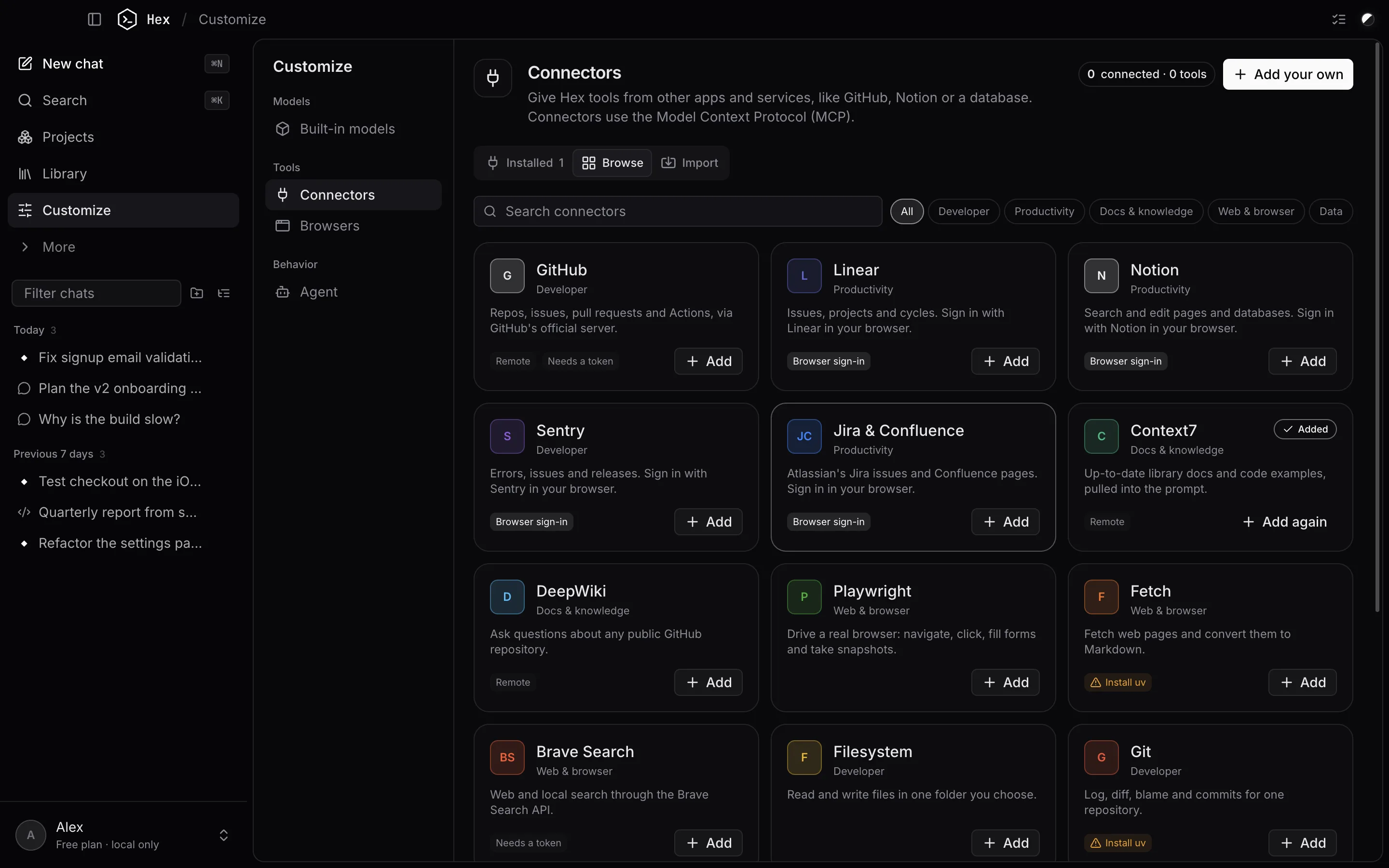
Connectors add tools from other apps and services using the Model Context Protocol (MCP). Open Customize → Connectors.
Add from the catalog
Browse lists ready-made connectors (GitHub, Linear, Notion, Sentry, Jira & Confluence, Context7, DeepWiki, Playwright, PostgreSQL, SQLite, Slack and more). Click Add, fill in only what's asked (a token or a folder), and Hex connects.
- Services marked Browser sign-in open their own sign-in page; approve access there.
- Where a token is needed, Create a token opens the right page, and the paste button fills it in from your clipboard.
- Some connectors need Node.js or uv installed. Hex shows an Install link when one is missing.
Import
Import finds servers you already set up in Claude Desktop, Claude Code, Cursor, Windsurf or VS Code, or accepts a pasted JSON config.
Your own connector
Add your own adds any MCP server: a local command or a remote URL. Environment variables and headers are encrypted with the macOS Keychain.
Permissions
By default Hex asks before each connector tool runs. Expand a server to always allow single tools, or turn on Always allow connector tools.
Your browsers
Customize → Browsers lists the browsers on your Mac that Hex can work with: Chrome, Safari, Firefox, Brave, Edge, Arc, Opera, Vivaldi and Chromium. For each one you choose what the agent may do:
| Action | What it does | Default |
|---|---|---|
| Open pages | Opens a link in that browser for you. | Ask |
| See open tabs | Reads the titles and addresses of the pages you have open. | Ask |
| Read bookmarks | Looks through your saved pages. | Ask |
| Read history | Looks through pages you've visited. | Off |
Allow lets the agent go ahead, Ask shows each request in the chat first, and Off blocks it. These choices apply in every agent mode, including Auto.
- Hex never reads passwords, cookies, saved cards or extensions, and never changes anything in your browser.
- The first time the agent opens a page or reads your tabs, macOS asks once whether Hex may control that browser.
- Safari's bookmarks and history are protected by macOS. They can only be read after you give Hex Full Disk Access in System Settings → Privacy & Security.
- Firefox doesn't let other apps see its open tabs. Bookmarks and history work.
The agent searches the web with DuckDuckGo. There's nothing to set up.
Something unclear or out of date? Email jangidp318@gmail.com.