Features
Everything an agent needs to get real work done.
Hex pairs a capable model running on your Mac with the tools to act on it, and the controls to keep it in line.
Build a task tracker with sign-in, a database and a dashboard
Good morning, Maya
Open
12
Due today
3
Done this week
48
Completed per day
An illustration of Hex at work. The apps, file names and numbers shown are examples.
The agent
It plans, acts and checks its work.
Give Hex a task in plain words. It works in steps you can follow, folds routine steps into one line, and ends with a summary of every file it changed.
Mode 1 of 3
Plan
Reads and researches, then proposes a step-by-step plan. Nothing changes until you approve it.
Mode 2 of 3
Ask
Works step by step and asks before it edits a file or runs a command.
Mode 3 of 3
Auto
Works on its own within your permission rules. Destructive commands still ask.
Chat and Hex Code
Two ways to work, kept apart.
A switch at the top of the window decides what Hex is allowed to do. You always know which one you're in.
A normal conversation.
Ask questions, think something through, get help writing or reviewing code you paste in. Chat only talks: it doesn't touch your files, apps or terminal.
- Answers, explanations, drafts and ideas
- Looks things up on the web when it needs to
- Says so plainly when something needs Hex Code
The agent, working in a folder.
Give it a task and a folder. It reads and edits files, runs commands and tests, drives the browser and your simulators, and reports what it did.
- Plan, Ask and Auto modes
- Terminal, files, browser and device panes beside the chat
- Every change checkpointed, so you can undo a turn
Control
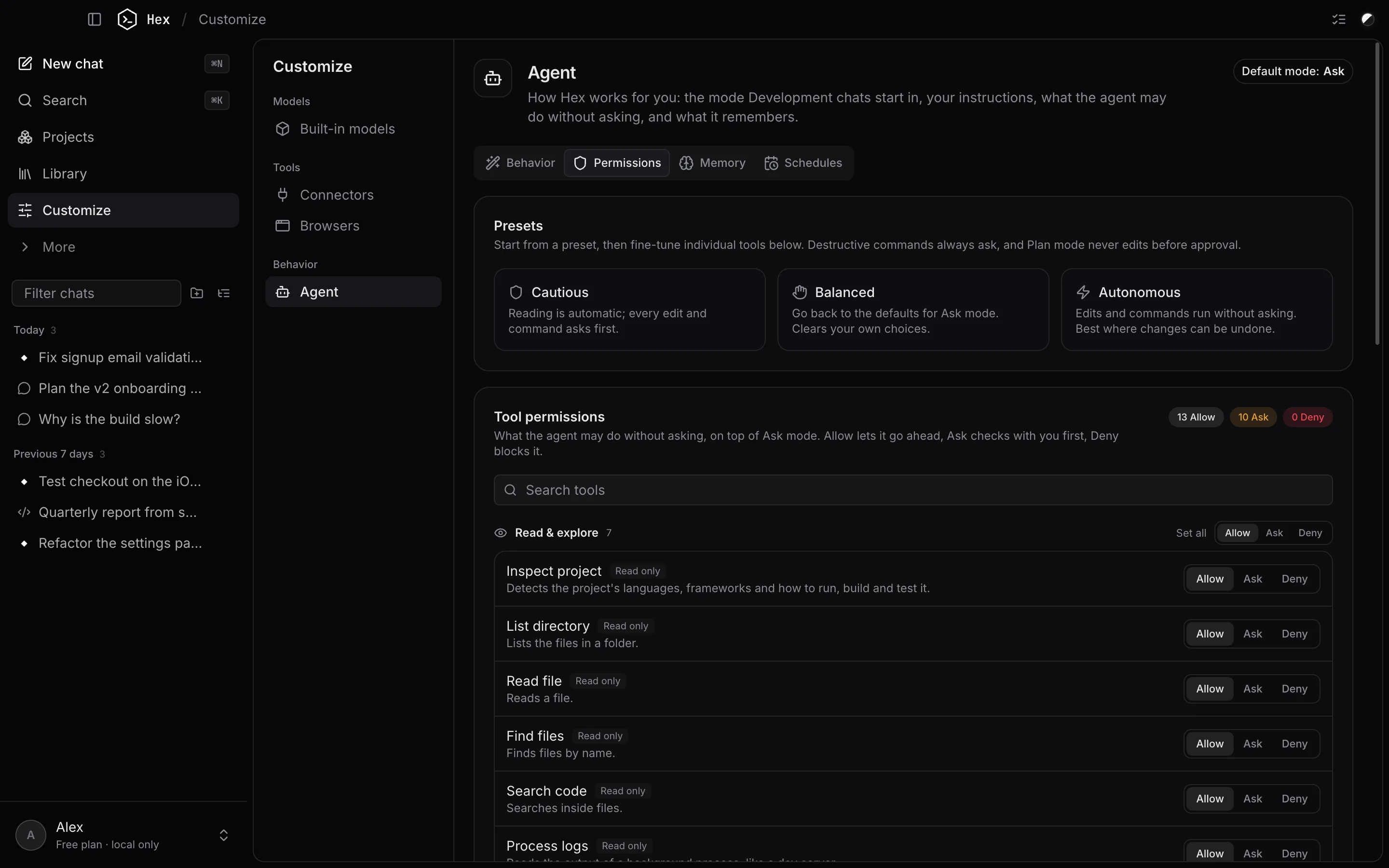
Permissions you can actually read.
Every tool is listed with what it does and how risky it is. Allow it, have it ask, or deny it, per tool or all at once with a preset.
- Presets: Cautious, Balanced, Autonomous
- Destructive commands always ask, whatever you set
- “Always allow” can apply to one project only
- Every file change is checkpointed and can be undone
Models
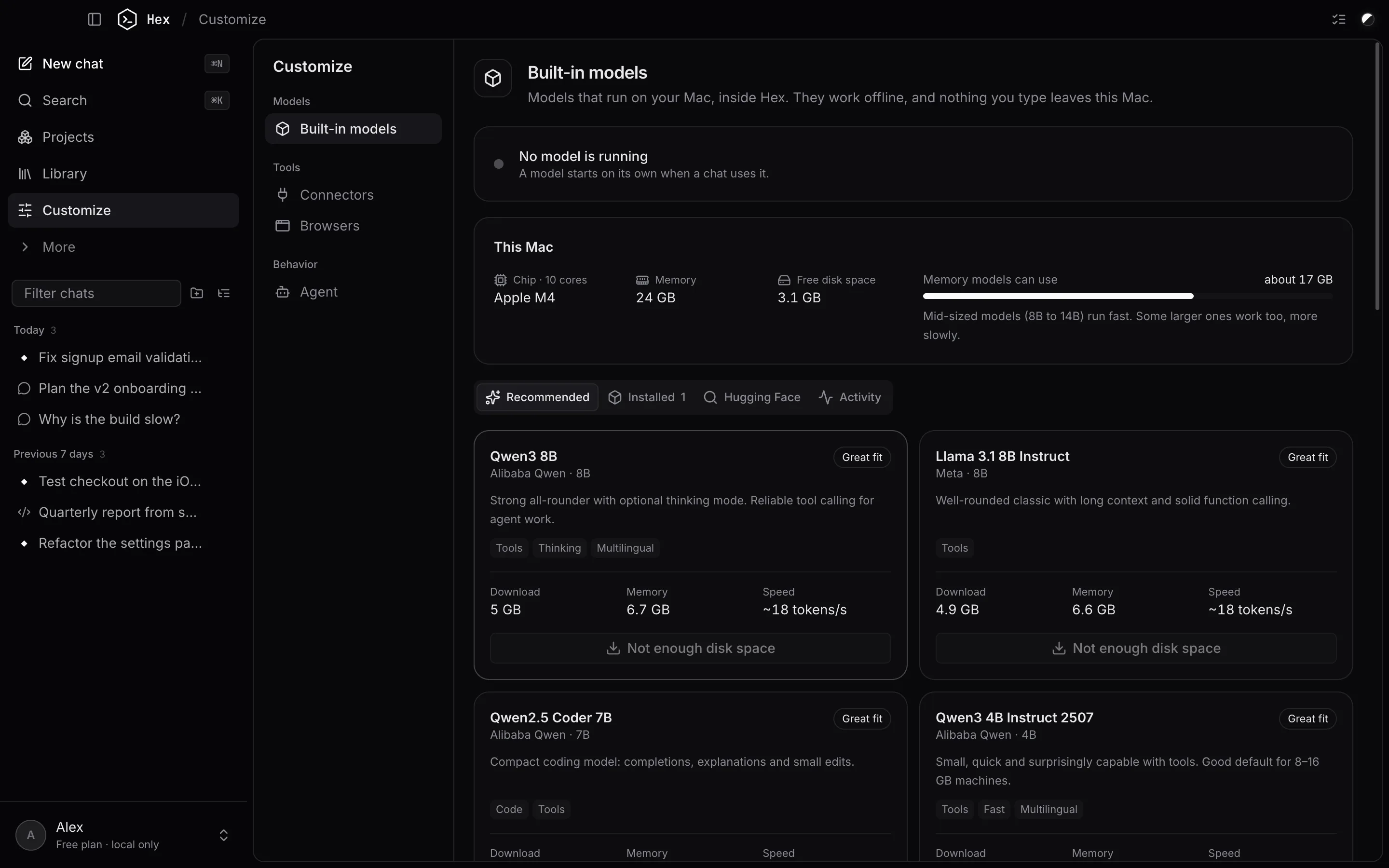
Models that fit your Mac, built in.
Hex includes its own engine (llama.cpp) and a curated list of open models. It reads your chip, memory and free disk space and tells you what will run well.
- 15 recommended models, including Qwen3 4B, Qwen3 8B, Qwen3 14B, Qwen3 30B-A3B
- Search and download any GGUF model from Hugging Face
- Metal acceleration on Apple Silicon
- Adjustable thinking effort for reasoning models
Projects
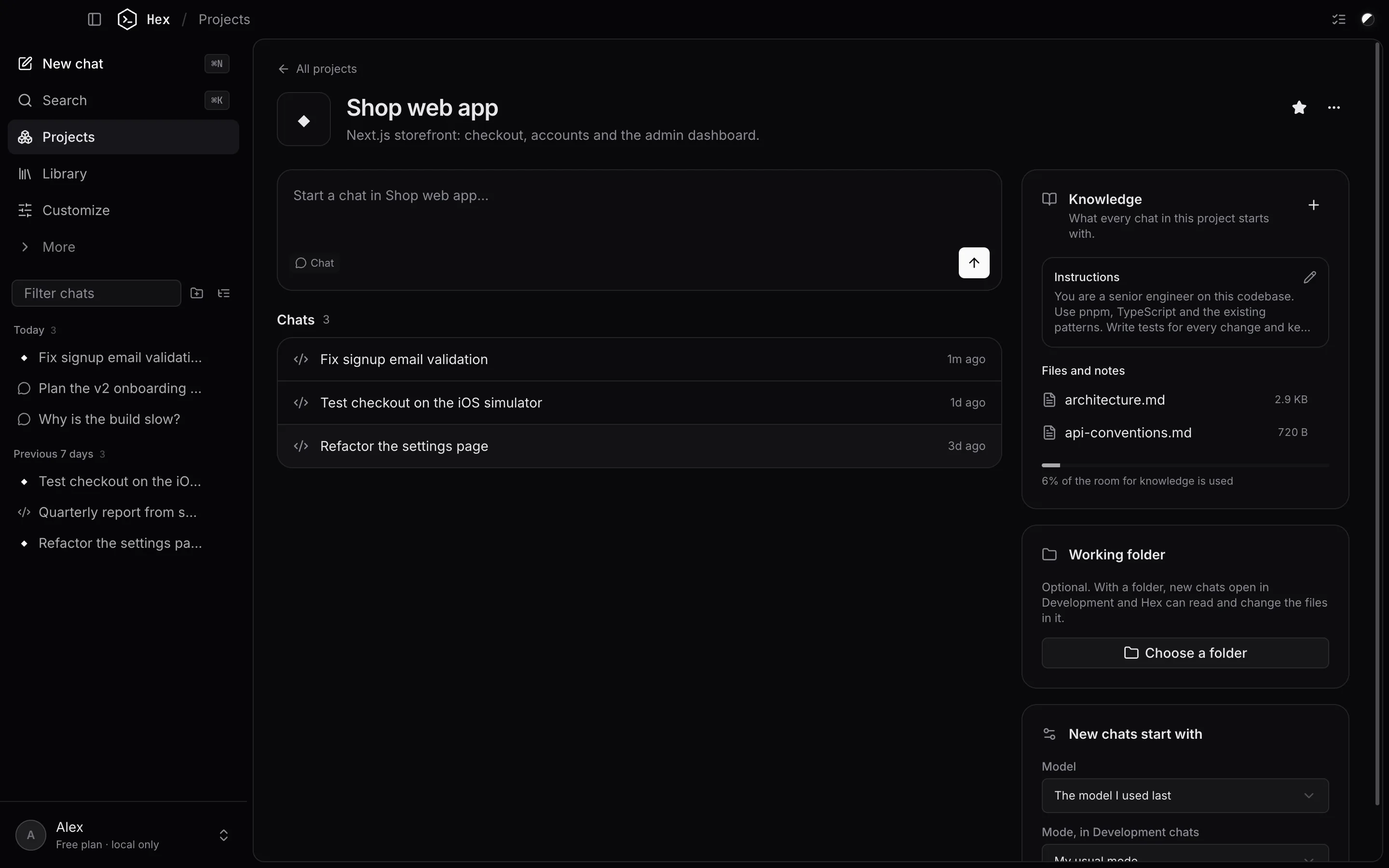
Context that carries over.
Put related chats in a project with instructions, knowledge files and a working folder. Every new chat in it starts where you left off.
- Instructions and knowledge files for every chat
- A working folder: new chats open in Hex Code, in that folder
- A default model and mode per project
- HEX.md in the folder is read automatically (run /init to create one)
Connectors
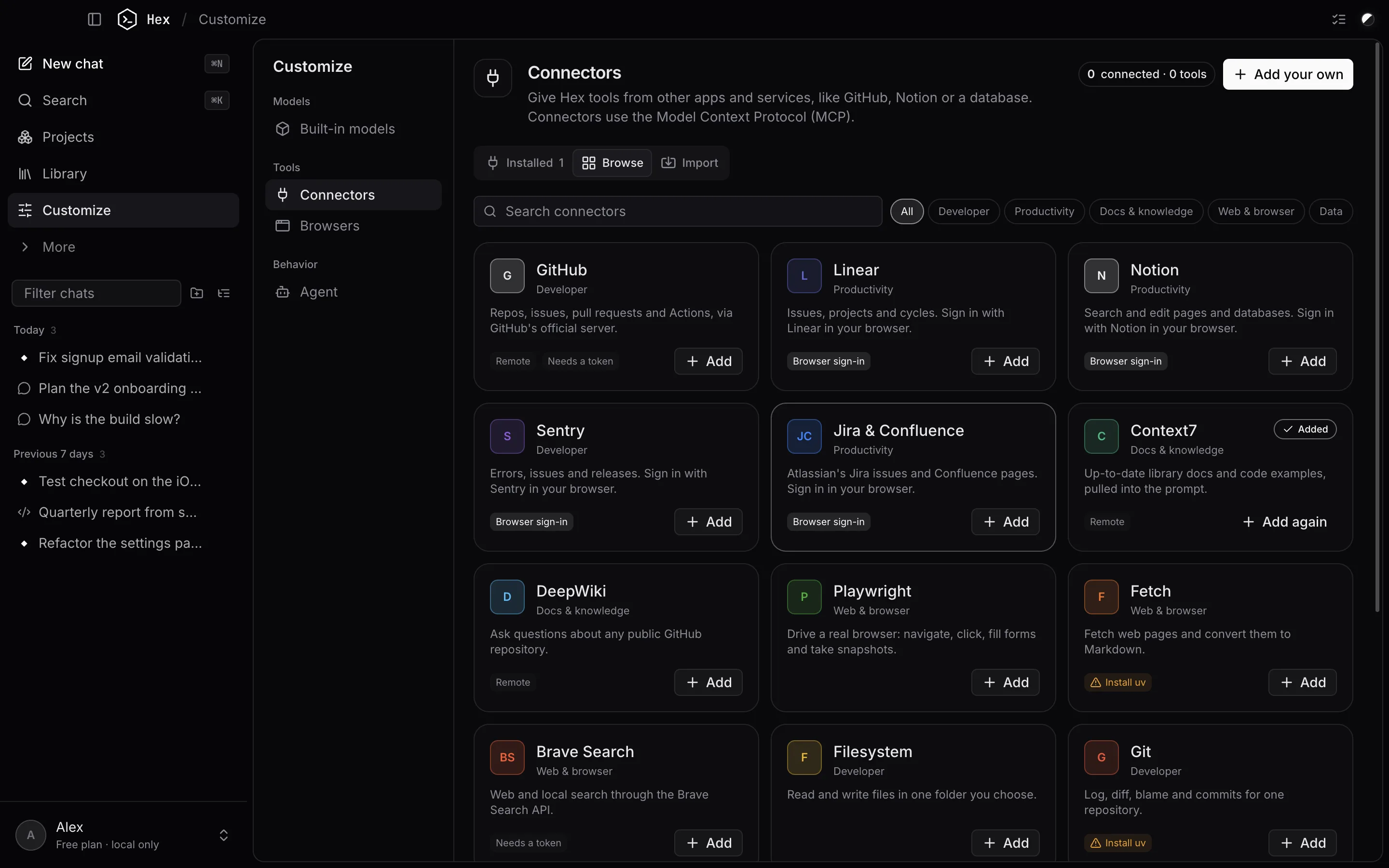
Plug in the tools you already use.
Connectors use the Model Context Protocol. Pick one from the catalog, sign in in your browser where the service supports it, or import your servers from other apps.
- 18 ready-made: GitHub, Linear, Notion, Sentry, Jira & Confluence, Context7 and more
- Import from Claude Desktop, Claude Code, Cursor, Windsurf or VS Code
- Tokens are stored in the macOS Keychain
- Allow single tools, or a whole server, without prompts
And more
The full toolbox.
18 things Hex can do, in four groups.
Real hands on your Mac
Reads, searches and edits files in the folder you choose, and runs builds, tests and git in a real shell.
A browser it can drive
Opens pages in the built-in browser, reads them, clicks, types and takes screenshots, at phone, tablet or desktop width.
iOS Simulator & Android
Boots simulators and emulators inside Hex in real device frames. The agent can install, launch, tap, type and read logs.
Git built in
See status and diffs, stage, commit and push, switch branches, and run chats in their own worktree.
Panes for everything
Terminal, files, browser, plan, changes, git, context and devices, side by side with the chat, per chat.
Background work
Dev servers keep running while it works; switch chats and runs continue in the background.
Shortcuts
Keep your hands on the keyboard.
Open any pane, switch modes or run a routine job without leaving the keyboard.
Slash commands
Type / in the message box for the things you do every day.
- /initCreate a HEX.md with instructions for this project
- /reviewReview uncommitted changes for bugs
- /testRun the tests and fix failures
- /commitWrite a commit for the current changes
- /compactSummarise older messages to free up context
- /contextShow what's using the context window
Keyboard
- Search chats and projects, run any command⌘K
- New chat⌘N
- Settings⌘,
- Show or hide the sidebar⌘\
- Terminal · Files · Browser⌘J⌘E⌘B
- Plan · Changes · Git panes⇧⌘P⇧⌘D⇧⌘G
- Devices · Context · Activity log⇧⌘Y⇧⌘I⇧⌘A
- System monitor · Models⇧⌘M⇧⌘L
- Maximise the focused pane⇧⌘↩
- Cycle Plan → Ask → Auto in the composer⇧Tab
Every slash command
- /init
- Create a HEX.md with instructions for this project
- /review
- Review uncommitted changes for bugs
- /test
- Run the tests and fix failures
- /commit
- Write a commit for the current changes
- /plan · /ask · /auto
- Switch the agent mode
- /compact
- Summarise older messages to free up context
- /context
- Show what's using the context window
- /effort
- Set how hard the model thinks
- /export
- Save this chat as Markdown
- /terminal · /files
- Open the terminal or files pane
- /new
- Start a new chat