Tell Hex what you want. It builds full applications, websites and mobile apps, writes reports and spreadsheets, and tests its own work. The model runs on your own machine, so your code stays with you.
Free forever on your Mac · Free account, no card · macOS 12 or later
Build a task tracker with sign-in, a database and a dashboard
Good morning, Maya
Open
12
Due today
3
Done this week
48
Completed per day
An illustration of Hex at work. The apps and numbers shown are examples.
Runs open models on your Mac with the built-in engine (llama.cpp). Hex checks what fits your memory.
What it builds
Ask for it. Watch it get built.
Apps, websites, mobile software and real documents. Hex takes the request and carries it through, and you see each step as it happens.
Full applications
From one sentence to a running app.
Hex scaffolds the project, writes the code, installs what it needs, starts the server and opens the result in its own browser to check that it works.
Build a task tracker with sign-in, a database and a dashboard
Good morning, Maya
Open
12
Due today
3
Done this week
48
Completed per day
An illustration of Hex at work. The apps, file names and numbers shown are examples.
Full applications
From one sentence to a running app.
Hex scaffolds the project, writes the code, installs what it needs, starts the server and opens the result in its own browser to check that it works.
Build a task tracker with sign-in, a database and a dashboard
Good morning, Maya
Open
12
Due today
3
Done this week
48
Completed per day
Websites
A website, checked on every screen.
It writes the pages and styles, runs them, then looks at the result at phone, tablet and desktop width and fixes what doesn't fit.
Make a landing page for my coffee shop with a menu and an order button
Slow mornings, good coffee.
Roasted in small batches two streets away. Open from seven.
Flat white
Cold brew
Cardamom bun
Slow mornings, good coffee.
Software for phones
It runs your app, then uses it.
Hex boots the iOS Simulator or an Android emulator inside the app, installs your build, taps through it and reads the logs.
Add a dark mode toggle to the settings screen and test it in the simulator
Settings
Built the app
Launched on iPhone 16
Tapped “Dark mode”
No errors in the logs
Smart outputs
Real files, not just answers.
Ask for a report, a spreadsheet or a chart and get the file itself: Word, Excel, PDF, CSV or Markdown, saved in your folder and listed in your Library.
Turn sales.csv into a PDF report with a chart, and an Excel summary
q3-report.pdf
Q3 sales report
An illustration of Hex at work. The apps, file names and numbers shown are examples.
How it works
An agent, not a chatbot.
Hex doesn't just answer. It does the work on your machine, in a loop you can watch and steer.
Step 1
Plan
Hex reads your project, researches what it needs and writes a plan you can edit.
Step 2
Approve
You decide what it may do on its own. Edits and commands can wait for your OK.
Step 3
Act
It edits files, runs commands, drives the browser and your simulators, step by step.
Step 4
Verify
It runs the tests, checks the result and shows a summary of every file it changed.
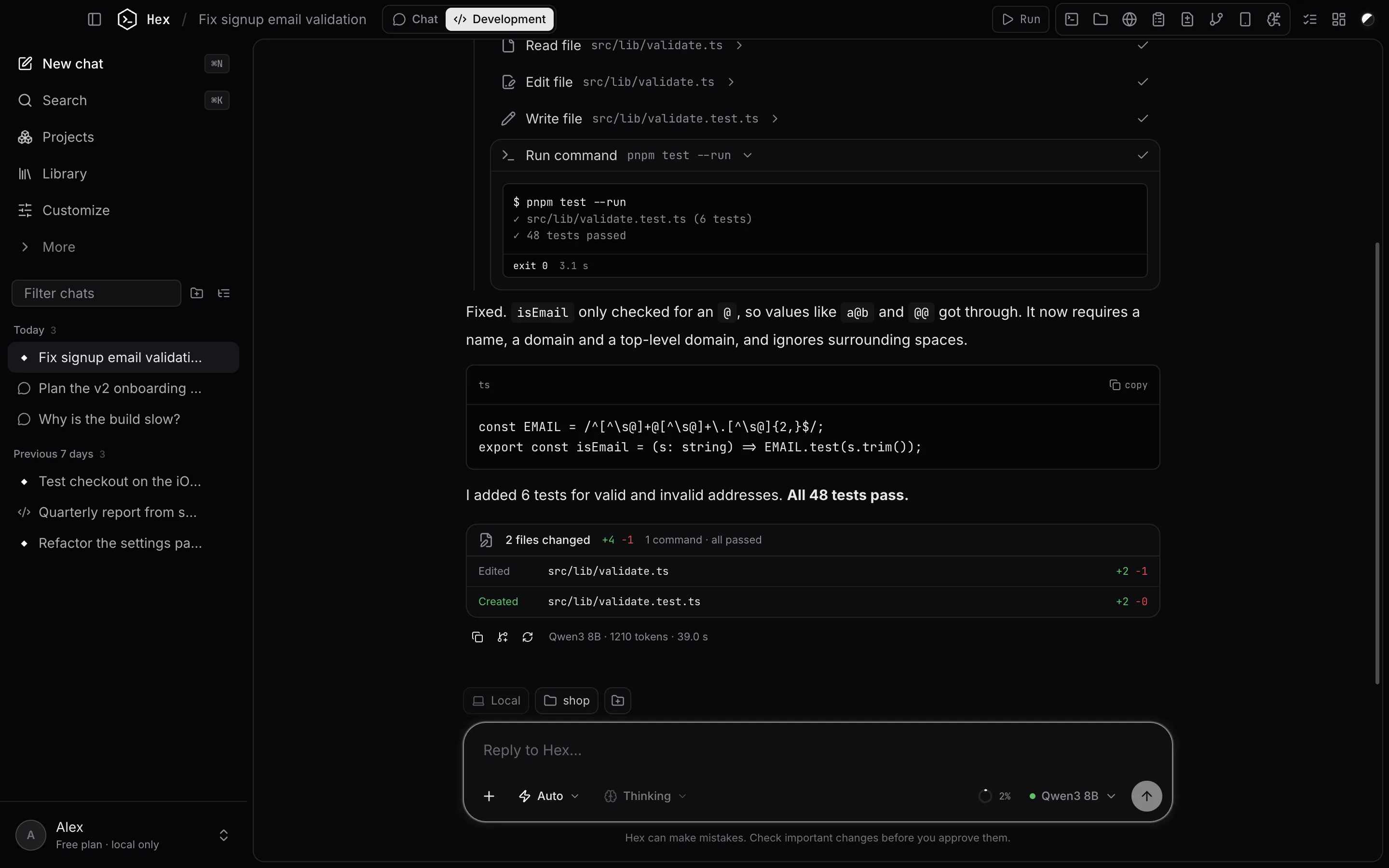
Plan mode
Reads and researches, then proposes a step-by-step plan. Nothing changes until you approve it.
Ask mode
Works step by step and asks before it edits a file or runs a command.
Auto mode
Works on its own within your permission rules. Destructive commands still ask.
Everything it can do
0 tools. One agent.
Files, shell, browser, devices, documents, memory and more. Each tool has a permission you control.
Real hands on your Mac
Reads, searches and edits files in the folder you choose, and runs builds, tests and git in a real shell.
A browser it can drive
Opens pages in the built-in browser, reads them, clicks, types and takes screenshots, at phone, tablet or desktop width.
iOS Simulator & Android
Boots simulators and emulators inside Hex in real device frames. The agent can install, launch, tap, type and read logs.
Plans you approve
In Plan mode it researches first and shows a checklist. You approve, and it ticks the steps off as it works.
You set the rules
Allow, ask or deny, per tool. Presets from Cautious to Autonomous. Risky commands always ask first.
Undo any turn
Every file the agent changes is checkpointed. Review the diff, or rewind a whole turn with one click.
Projects & knowledge
Give a project instructions, docs and a working folder. Every chat in it starts with that context.
Connectors (MCP)
Add GitHub, Linear, Notion, databases and more from a catalog, or import the servers you already use.
Real documents
Creates Word, Excel, PDF, CSV and Markdown files, plus artifacts: code, web pages and diagrams you can preview.
Library
Everything that went into or came out of your chats in one place: uploads, documents and files it wrote.
Memory
It remembers what you tell it to, about you or a project, and you can see and remove every memory.
Scheduled tasks
Ask it to run something later or on a repeat: a daily report, a weekly dependency check.
Sub-agents
Hands self-contained pieces of work to a sub-agent, so long jobs stay focused.
Git built in
See status and diffs, stage, commit and push, switch branches, and run chats in their own worktree.
Panes for everything
Terminal, files, browser, plan, changes, git, context and devices, side by side with the chat, per chat.
Fast to drive
⌘K for everything, slash commands, @ to attach files, ⇧Tab to switch modes, and queued follow-ups.
Background work
Dev servers keep running while it works; switch chats and runs continue in the background.
Context that lasts
A live context meter, automatic compaction of long chats, and a view of exactly what's in the window.
Shortcuts
Keep your hands on the keyboard.
Open any pane, switch modes or run a routine job without leaving the keyboard.
Slash commands
Type / in the message box for the things you do every day.
- /initCreate a HEX.md with instructions for this project
- /reviewReview uncommitted changes for bugs
- /testRun the tests and fix failures
- /commitWrite a commit for the current changes
- /compactSummarise older messages to free up context
- /contextShow what's using the context window
Keyboard
- Search chats and projects, run any command⌘K
- New chat⌘N
- Settings⌘,
- Show or hide the sidebar⌘\
- Terminal · Files · Browser⌘J⌘E⌘B
- Plan · Changes · Git panes⇧⌘P⇧⌘D⇧⌘G
- Devices · Context · Activity log⇧⌘Y⇧⌘I⇧⌘A
- System monitor · Models⇧⌘M⇧⌘L
- Maximise the focused pane⇧⌘↩
- Cycle Plan → Ask → Auto in the composer⇧Tab
A tour
Built like a real app, because it is one.
A native-feeling Mac app with a sidebar, panes and a command menu. Not a web page in a box.
01
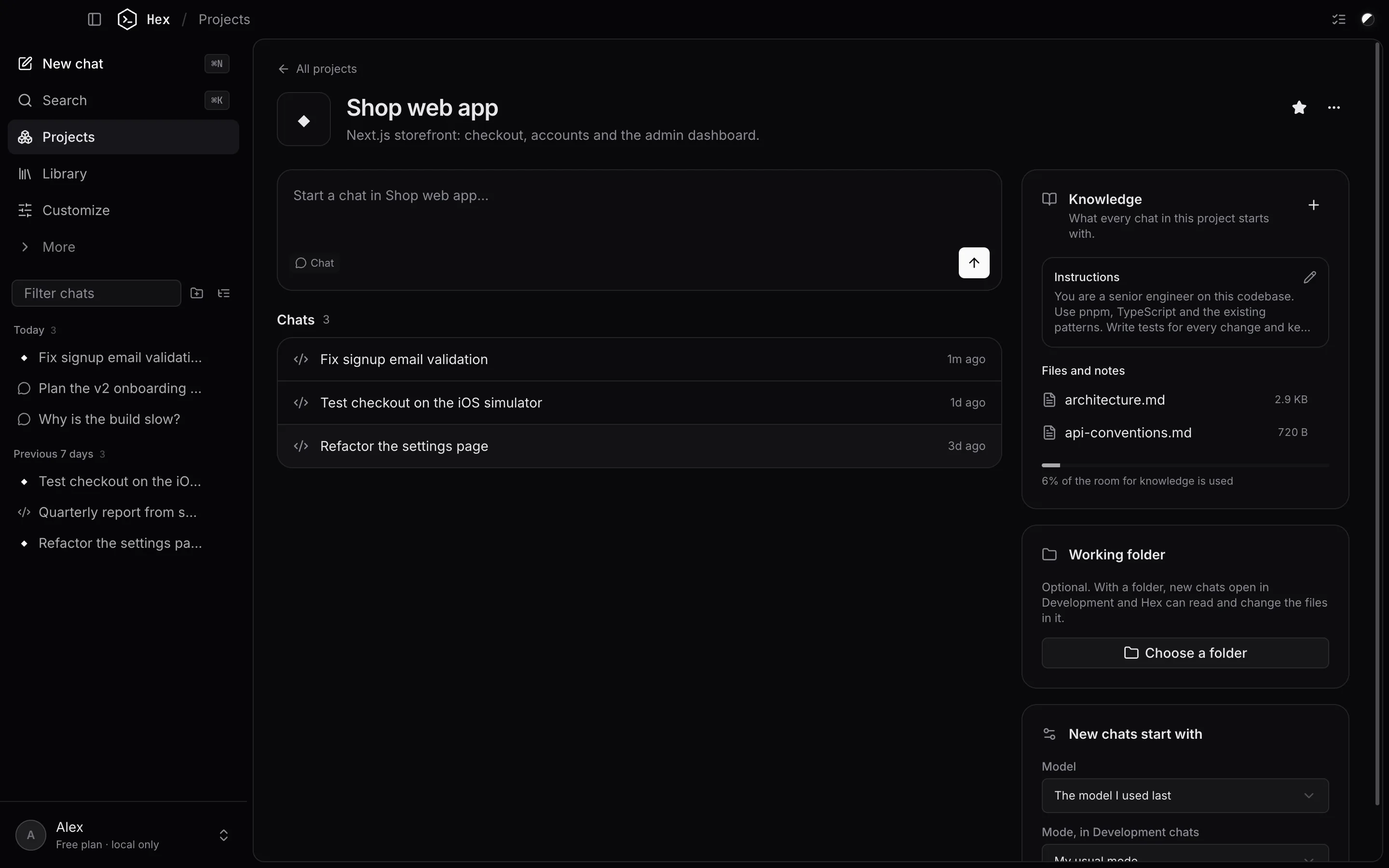
Projects remember the context
Instructions, knowledge files and a working folder, shared by every chat in the project.
02
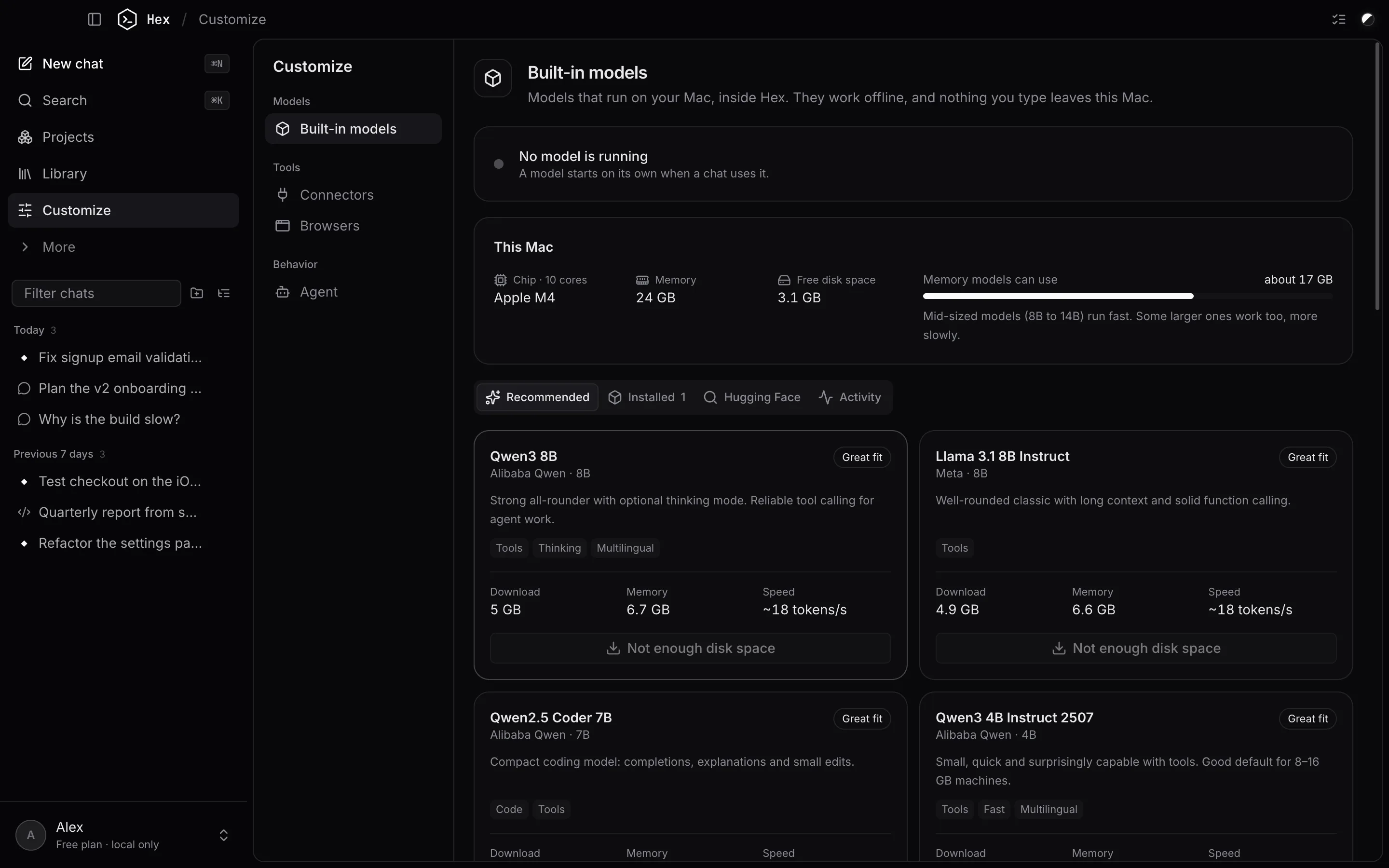
Models sized for your Mac
Hex reads your chip, memory and free disk space, and recommends models that will run well.
03
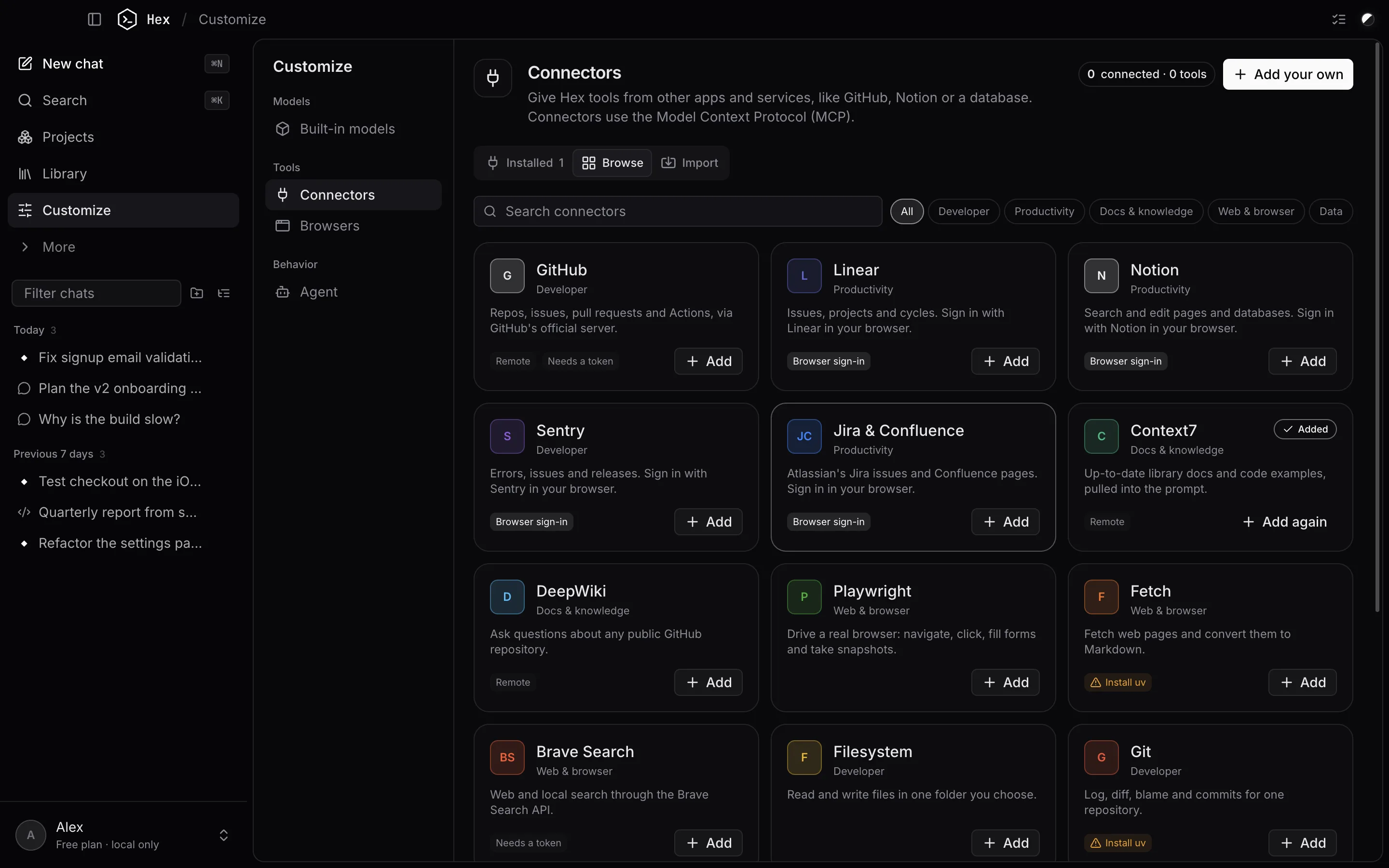
Connect your tools
18 ready-made connectors, import from Claude Desktop, Cursor, Windsurf or VS Code, or add any MCP server.
04
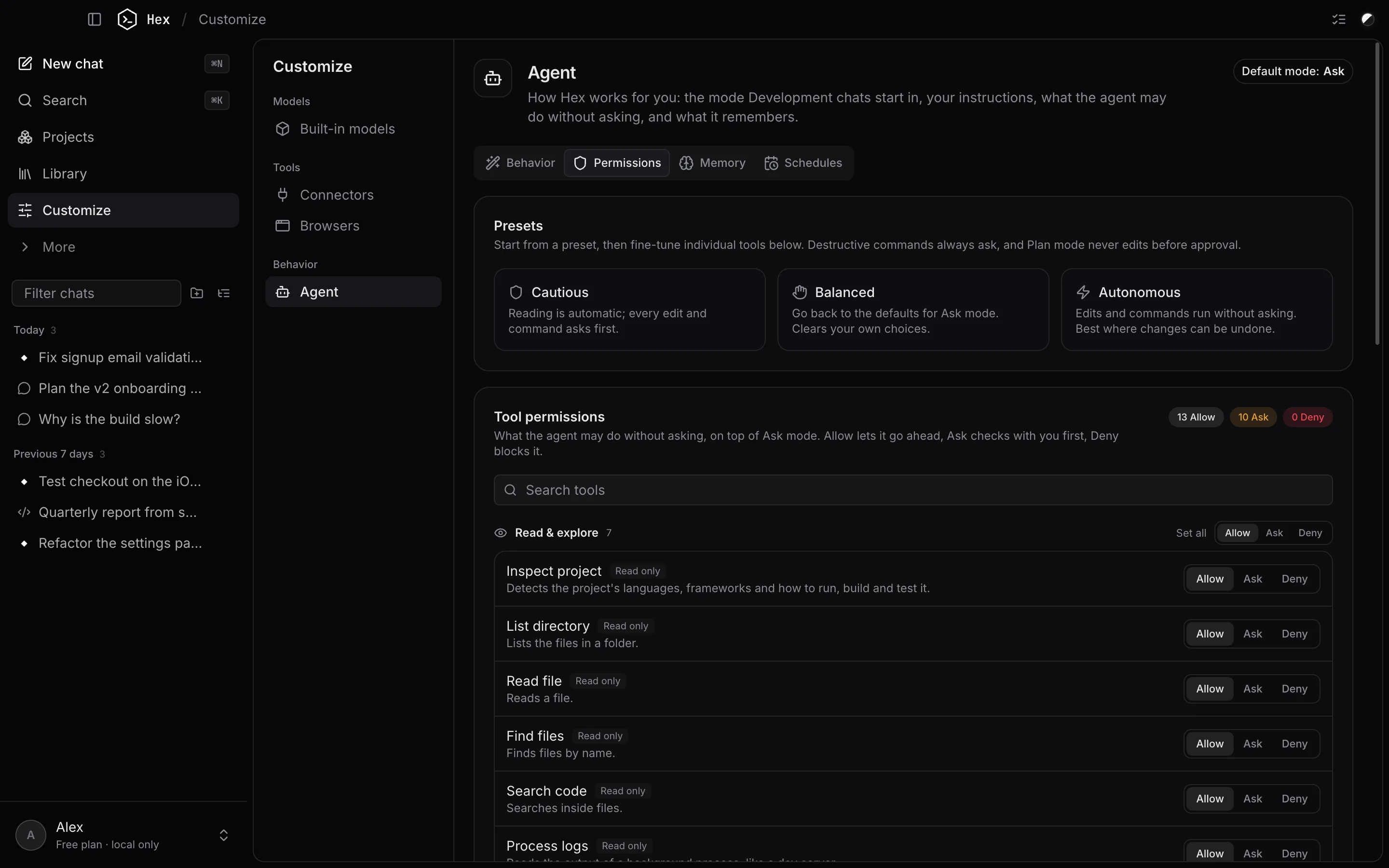
Permissions you can read
Every tool, grouped and explained, set to allow, ask or deny. Start from a preset.
05
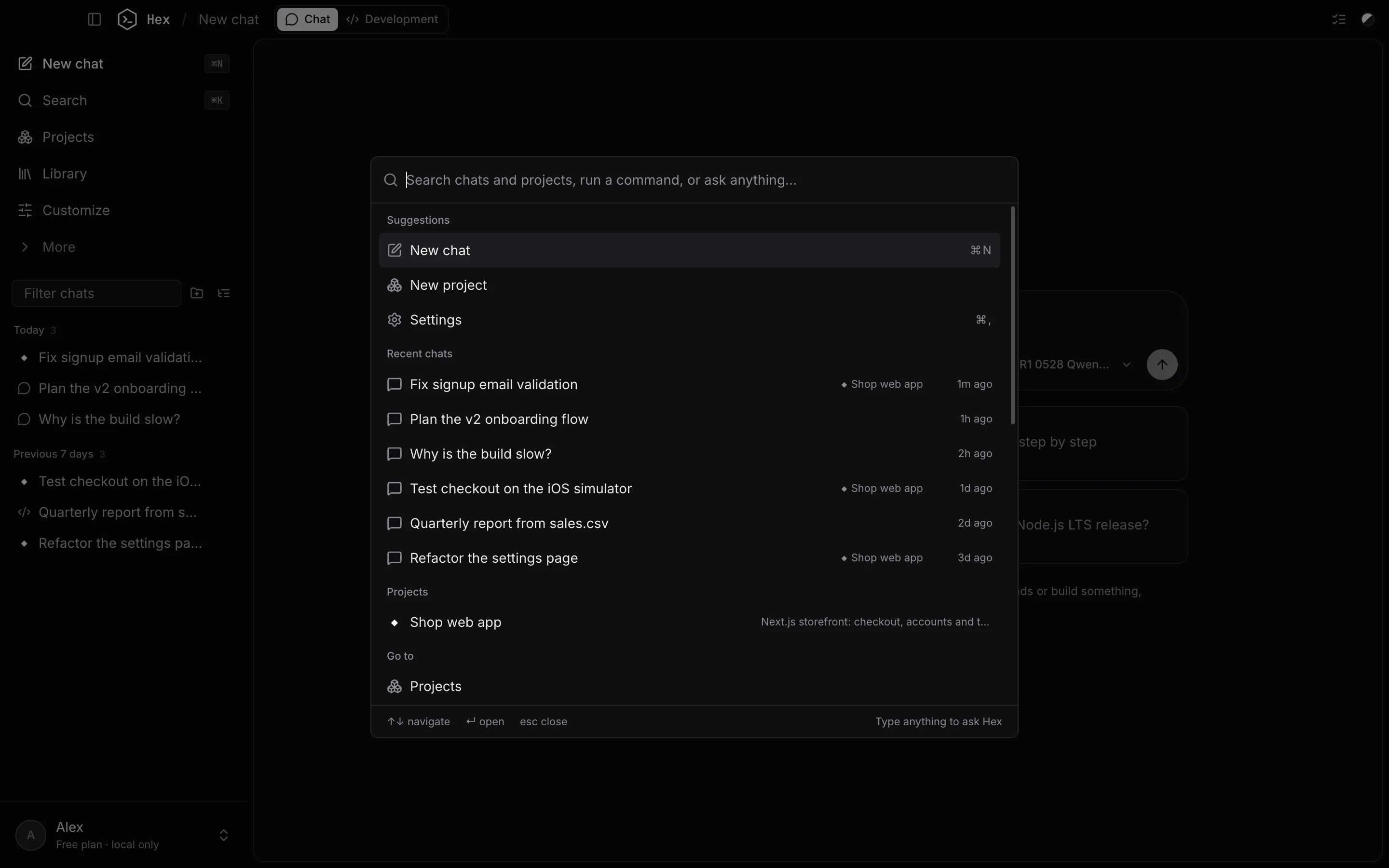
Everything is one ⌘K away
Jump to any chat or project, open a pane, switch settings, or just type a question.
Private by default
Your code never has to leave your Mac.
Hex was built local-first. The cloud is optional, and it's yours to turn on.
The model runs on your Mac
Built-in models run locally with llama.cpp. Your prompts and code aren't sent anywhere. Hex Agent, the cloud model, is only used when you pick it.
Chats stay on this machine
Chats, projects and files are stored locally. Nothing is uploaded unless you turn on Pro cloud sync.
Secrets in your Keychain
Connector tokens and keys are encrypted with the macOS Keychain.
Works offline
Once a model is downloaded, chats and the agent's local tools work without an internet connection.
Guard rails built in
Destructive commands always ask. The agent can't touch Hex's own data. Every change can be undone.
Your account, your chats
A free account signs you in. Your chats and files still stay on your Mac unless you turn on Pro sync.
Hex Pro
Start on your Mac. Pick up anywhere.
Pro syncs your chats, projects and settings across your Macs and the web app, and removes the web app's daily limits.
Pro · $12 a month, or $120 a year
- Cloud sync of chats, projects and settings
- Continue any chat in the browser
- Unlimited messages on the web
- Cancel anytime from Billing
FAQ
Questions, answered
Give your Mac an agent.
Keep your code to yourself.
Free forever on your Mac. Apple Silicon and Intel.