DocsGetting started1 min read
Your first task
Start a chat, point Hex at a folder and watch it work.
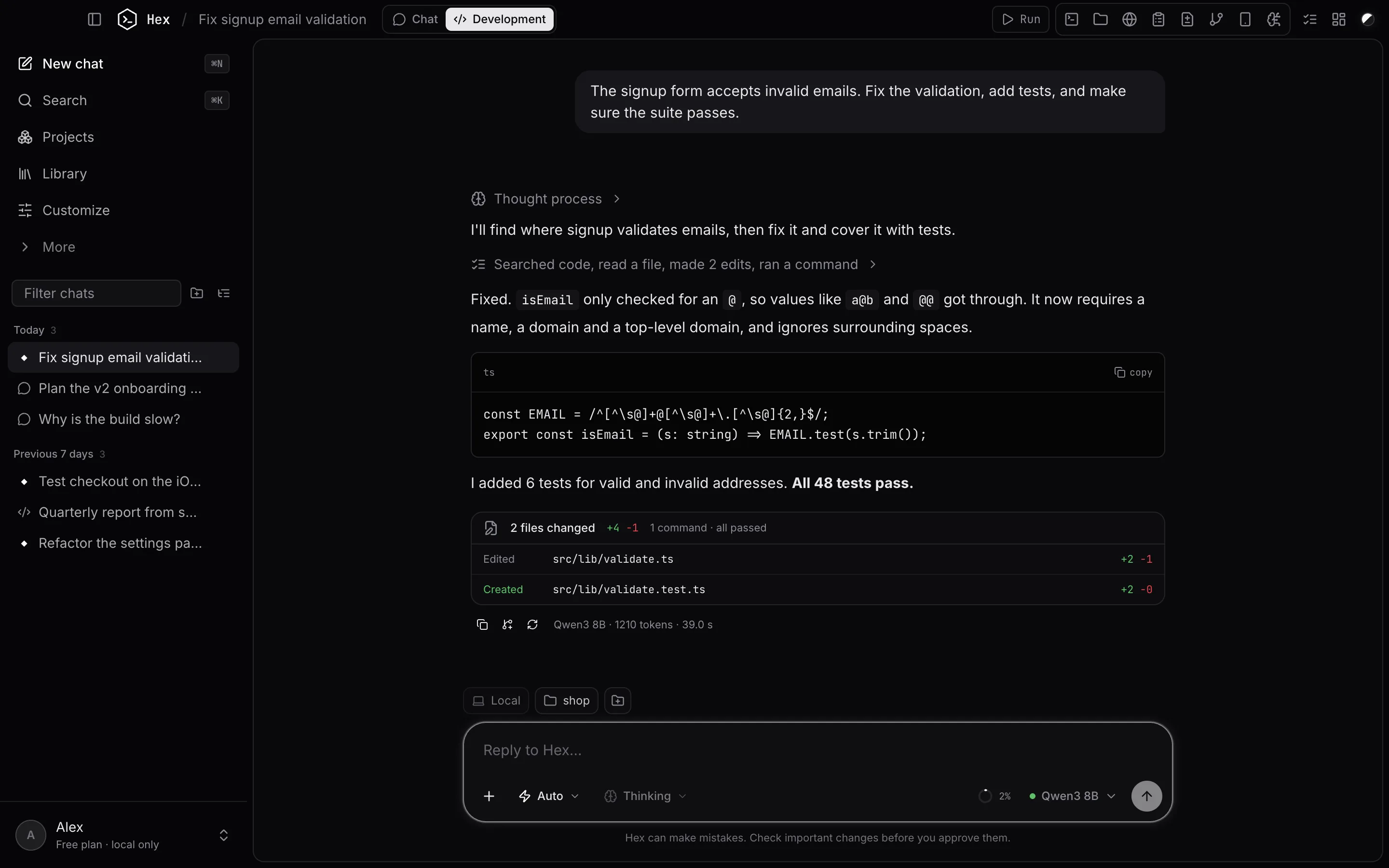
1. Pick a folder
Above the message box you'll see where the agent works: Local (this Mac) and a folder. Click the folder to choose your project. The agent reads and edits files there, and its commands run there.
2. Say what you want
Type the task in plain words and press Return. For example:
The signup form accepts invalid emails. Fix the validation, add tests, and make sure the suite passes.
Use Shift+Return for a new line. Attach files with the + button, by dragging them in, or by pasting. Type @ to attach a file from the folder.
3. Watch it work
Hex shows each step as it goes: searching, reading, editing, running commands. Finished steps fold into one line, such as "Searched code, read a file, made 2 edits, ran a command". Click it to see each step and its output.
When it's done you get a summary of the files it changed. Click a file to see the diff, or Undo changes to put them back.
4. Keep going
Reply to refine the result. You can type while Hex is working: your message waits and sends when it finishes. Press Stop (or the square button) to interrupt.
Next: learn the agent modes.
Something unclear or out of date? Email jangidp318@gmail.com.